
Today, We’ll Discuss How to Solve Google Business Profile Restrictions Issues
A Google Business Profile (GBP) is one of the most important tools for local businesses that want to improve their visibility on Google Search and Google Maps.
However, many business owners face a common challenge: their Google Business Profile becomes restricted, suspended, or loses visibility.
A restricted profile can directly affect your business by reducing:
- Google Maps visibility
- Customer calls
- Website traffic
- Local leads
- Brand credibility
The good news is that many Google Business Profile restrictions can be solved when you identify the reason, fix the problems, and follow Google’s guidelines correctly.
In this guide, we will explain the common reasons behind Google Business Profile restrictions and the proper steps to recover and protect your listing.
What is a Google Business Profile Restriction?
A Google Business Profile restriction happens when Google detects possible issues with your business information, profile activity, or compliance with its guidelines.
Google may restrict a profile to maintain the quality of search results and protect users from inaccurate or misleading business information.
Common types of restrictions include:
- Profile suspension
- Verification issues
- Profile edits being rejected
- Reduced visibility on Google Maps
- Disabled profile features
A restriction does not always mean your business is permanently removed. Legitimate businesses can often recover their profiles by correcting violations and submitting accurate information.

How Shopify SEO Can Bring More Organic Customers to Your Store
Why Local Keyword Research Is the Foundation of Better Google Rankings
Why Does Google Restrict Business Profiles?
Google uses automated systems and manual reviews to identify profiles that may violate its policies.
The most common causes include:
1. Incorrect . Information
Google requires businesses to provide accurate information.
Your profile may face restrictions if it contains:
- Incorrect business name
- Wrong address
- Invalid phone number
- Incorrect operating hours
- Misleading service information
Your Google Business Profile should always represent your real-world business.
For example:
❌ Best Emergency Locksmith Near Me 24/7
- ABC Locksmith Services
Your business name should match your actual branding and customer-facing name.
2. Keyword . Business Name
Adding keywords to your business name is one of the most common reasons for Google Business Profile suspension.
Some businesses try to improve rankings by adding extra keywords.
Examples:
❌ “Best Dentist Los Angeles Affordable Dental Clinic”
Instead:
- “Los Angeles Dental Care”
Google wants businesses to use their real name, not a list of keywords.
Keyword stuffing can damage trust and create ranking problems.
3. Using . Address
Google requires businesses to use accurate locations.
Problems may happen when businesses use:
- Fake addresses
- Virtual offices
- Unapproved shared locations
- Incorrect service areas
If customers cannot find your business at the listed address, Google may consider the information misleading.
Always use a legitimate business location that follows Google guidelines.
5. Wrong . Category Selection
Business categories help Google understand your services.
Selecting unrelated categories can negatively affect your profile.
For example:
A plumbing company should not choose unrelated categories just to appear in more searches.
Choose:
- One accurate primary category
- Relevant secondary categories
Your categories should clearly describe what your business actually provides.
5. You Do . Google Reviews
Business categories help Google understand your services.
Selecting unrelated categories can negatively affect your profile.
For example:A plumbing company should not choose unrelated categories just to appear in more searches.
Choose:
- One accurate primary category
- Relevant secondary categories
Your categories should clearly describe what your business actually provides.
Customer reviews are an important part of local SEO, but Google strictly monitors review activity.
Your profile may face issues if you:
- Buy fake reviews
- Create reviews from fake accounts
- Encourage misleading reviews
- Remove genuine customer feedback unfairly
The best approach is to collect authentic reviews from real customers.
Encourage customers to share their honest experience with your business.
How to Fix Google Business Profile Restrictions
Step 1: . Restriction
Before making changes, understand why your profile was restricted.
Check:
- Google notifications
- Suspension messages
- Recent profile changes
- Guideline violations
Finding the exact problem helps you create the right solution.
Step 2: . Violations
Step 2: Remove Policy Violations
Review your profile carefully and correct any issues.
Check:
Business Name
Use your real business name.
Address
Use a valid business location.
Category
Select accurate categories.
Phone Number
Use a working business phone number.
Website
Ensure your website matches your business information.
Step 3: . Information Consistent
Your business details should be the same everywhere online.
Check your:
- Website
- Social media profiles
- Business directories
- Local citations
Keep your:
- Business Name
- Address
- Phone Number
consistent across all platforms.
This improves trust and helps Google verify your business.
Step 4: . Reinstatement
If Google requests verification, prepare supporting documents.
Useful documents may include:
- Business license
- Registration documents
- Utility bills
- Storefront photos
- Office signage
- Business website proof
Your documents should clearly prove that your business is legitimate.
How to Prevent Future Google Business Profile Restrictions
Keep Information Updated
Regularly check:
- Business hours
- Phone number
- Address
- Services
- Website links
Follow Google Guidelines
Avoid shortcuts like:
- Fake locations
- Fake reviews
- Keyword stuffing
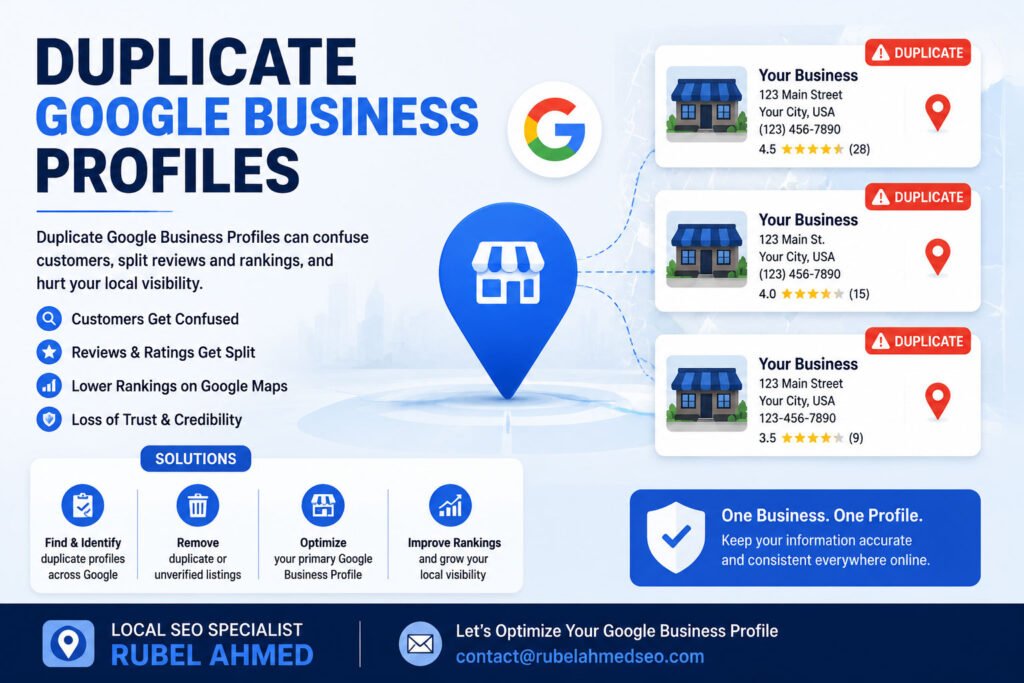
- Duplicate profiles
Maintain Strong Local SEO
A strong Local SEO strategy includes:
- Google Business Profile optimization
- Citation management
- Review management
- Website optimization
- Local keyword research
- Competitor analysis
Need Help With Google Business Profile Issues?
Get professional assistance with GBP optimization, local SEO audits, profile recovery guidance, and Google Maps ranking strategies.
Local SEO Specialist | RUBEL AHMED
More Info: contact@rubelahmedseo.com

I am Rubel Ahmed Professional SEO Expert & Consultant, I have a Experience Of Over 2 Years in Keyword Research,On Page Optimazation,Content Strategy.