
Google Business Profile (formerly Google My Business) is a powerful tool for local businesses to improve their online presence. Having a well-optimized profile can significantly enhance your visibility on Google Search and Maps. But many business owners aren’t leveraging this tool to its full potential.
In this post, we’ll cover proven strategies that can help you improve your Google Business Profile and ensure that your business stands out in local search results.
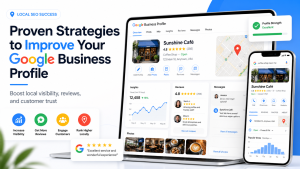
1. Complete Your Profile Information
The first and most important step to improving your Google Business Profile is to ensure it is 100% complete. Google uses the information you provide to display your business in search results. An incomplete profile can lead to poor visibility and fewer clicks. Make sure you fill in all the following details:- Business name: Use your actual business name, exactly as it appears in the real world.
- Address: Ensure that your business address is correct and matches the information on your website.
- Phone number: Use a local phone number instead of a call center number for better local relevance.
- Business hours: Regularly update your business hours, especially during holidays.
- Category: Choose the most relevant category for your business. This helps Google understand what services or products you offer.
2. Add High-Quality Photos
Photos are crucial for making your business stand out. Google’s research shows that businesses with photos receive 42% more requests for directions and 35% more click-throughs to their websites. Here’s what you should add:- Profile photo: This is the first image customers will see. It should be clear and represent your business well.
- Cover photo: Use a larger, impactful photo that highlights your products or services.
- Interior and exterior shots: Help customers visualize your business. If applicable, include images of your storefront or workspace.
- Team photos: Show the people behind your business to build trust with potential customers.
3. Collect and Respond to Reviews
Customer reviews are one of the most important ranking factors for local SEO. Google uses reviews to gauge customer satisfaction and determine how to rank your business.- Encourage reviews: After a purchase or service, ask happy customers to leave reviews. Make it easy by sending them a direct link to your profile.
- Respond to reviews: Always respond to reviews, whether they’re positive or negative. Acknowledge the feedback and show your commitment to customer service.
- Maintain a high rating: Aim for a high average rating, but don’t stress over a few negative reviews. Address the issues professionally and encourage satisfied customers to share their experience.
4. Optimize Your Google Posts
Google Posts are a great way to share updates, promotions, events, and more with your customers directly on your Google Business Profile.- Use posts regularly: Update your profile with posts at least once a week. Share promotions, upcoming events, or even customer success stories.
- Use attractive calls-to-action (CTAs): Encourage users to take action with buttons like “Learn More,” “Buy Now,” or “Call Now.”
- Include visuals: Posts with images or videos tend to attract more attention.
5. Enable Messaging
Google allows customers to message you directly through your Google Business Profile. Enabling messaging can give your business a personal touch and help you respond to inquiries quickly.- Set up notifications: Ensure that you are notified when a message is received so that you can respond promptly.
- Be professional and timely: Always respond to customer messages within a reasonable time frame. This enhances your credibility and builds trust.
6. Use the Q&A Section
The Q&A section on your Google Business Profile allows customers to ask questions, and you can provide answers. Make sure to monitor this section regularly to answer customer queries and ensure accurate information is provided.- Preemptively answer common questions: You can also post questions and answers yourself. Think about what information customers might be looking for (e.g., “Do you offer delivery?”) and provide clear answers.
- Monitor and update: Check for any new questions, and be sure to keep the answers up to date.
7. Track Insights and Analytics
Google Business Profile offers valuable insights into how customers are interacting with your listing. Track these metrics to understand customer behavior and adjust your strategy accordingly. Key metrics to monitor include:- Search queries: Learn which search terms lead customers to your profile.
- Customer actions: See how many users click on your website, request directions, or call your business.
- Photo views: Find out how many people are viewing your photos and which ones are getting the most attention.
8. Add Products and Services
Adding your products or services to your Google Business Profile can improve visibility and help potential customers learn more about what you offer.- Products: Add product listings with clear descriptions and prices. Make sure the images are high-quality.
- Services: Provide detailed descriptions of your services, including pricing if possible. This will help users understand exactly what they can expect from you.
9. Ensure Consistency Across the Web
Consistency is crucial for local SEO. Ensure that your business name, address, phone number (NAP), and website are consistent across all online platforms, including your website, social media, directories, and other listings. Google uses this information to verify the legitimacy of your business.10. Set Up and Optimize Your Website
While your Google Business Profile is important, your website is the foundation of your online presence. Ensure that your website is optimized for both mobile and desktop devices and that it includes local keywords, fast load times, and clear navigation.Conclusion
By following these proven strategies, you can significantly improve your Google Business Profile and boost your business’s local search visibility. A well-optimized profile builds trust, improves engagement, and attracts more customers to your business. Stay consistent, update your profile regularly, and engage with your customers to achieve long-term success. Ready to take your Google Business Profile to the next level? Implement these strategies and start seeing results today!
I am Rubel Ahmed Professional SEO Expert & Consultant, I have a Experience Of Over 2 Years in Keyword Research,On Page Optimazation,Content Strategy.